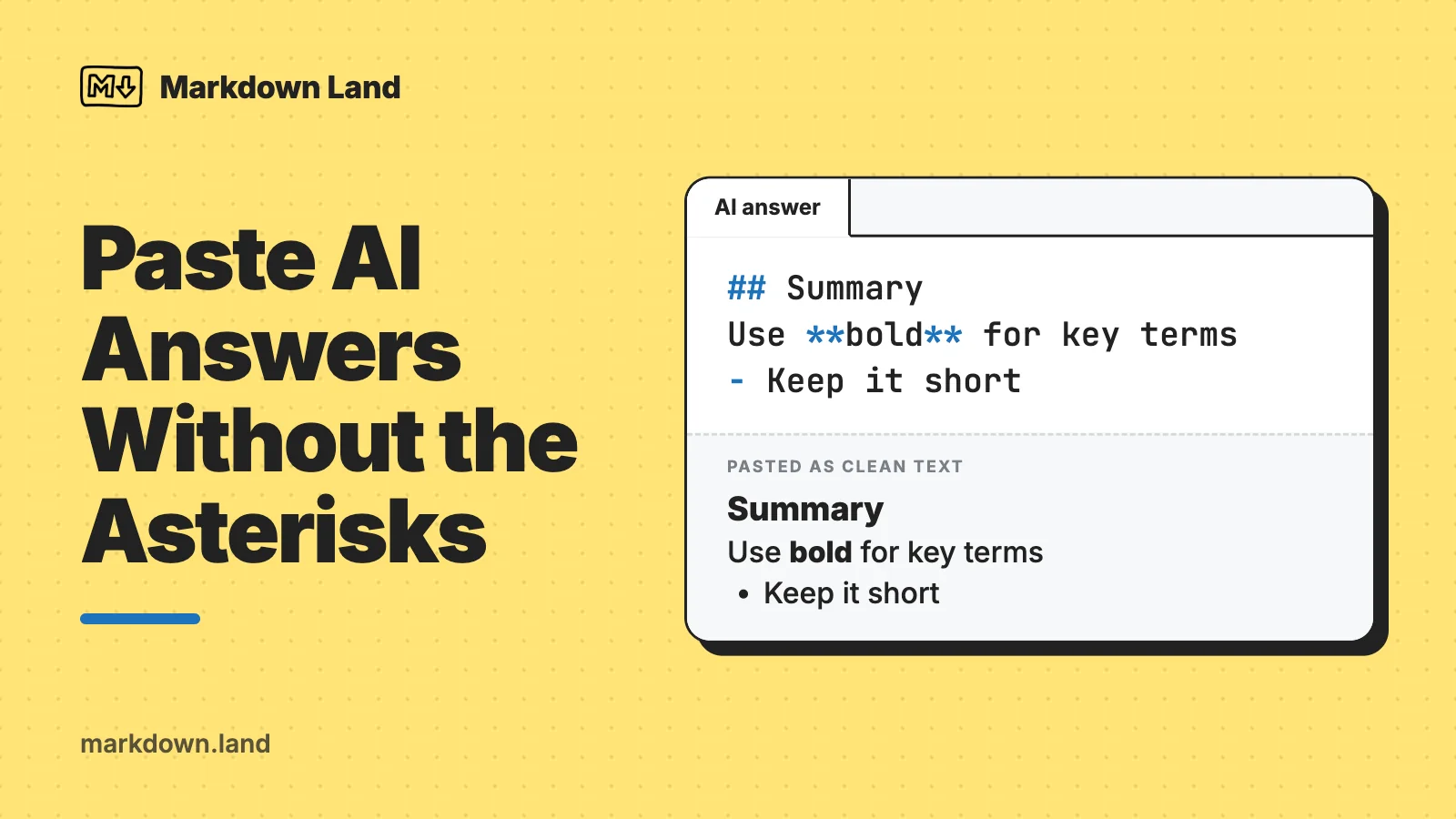
The asterisks and hash signs are Markdown, the formatting code that ChatGPT, Claude, and most other AI chats write their answers in. The chat window turns **this** into bold, but when the raw code lands in Word, an email, or Slack, you see the symbols instead. Three fixes solve it most of the time:
- Copy it the other way. Select the answer with your mouse and press
Ctrl+C(Cmd+Con a Mac) instead of clicking the copy button. That usually copies the formatted version, the same way copying from any web page does. - Use Google Docs as a converter. Turn on Tools > Preferences > Enable Markdown, then right-click and choose Paste from Markdown.
- Ask the AI to skip it. Type something like this in the chat:
Rewrite your last answer as plain text without Markdown: no asterisks, no # headings, no tables.
Here’s the problem in one picture. This is what an AI answer looks like when it arrives as raw Markdown:
## How to ask for a raise

Here are **three steps** that work:

1. **Do your homework.** Look up salaries for your role.
2. *Pick the right moment*, such as after a good review.
3. Practice with a friend.
And this is what you wanted to paste:
How to ask for a raise
Here are three steps that work:
- Do your homework. Look up salaries for your role.
- Pick the right moment, such as after a good review.
- Practice with a friend.
Below, I’ll explain in plain language why this happens, and then go app by app: Google Docs, Word, Gmail and Outlook, Slack, Teams, Notion and Apple Notes, and Excel or Google Sheets for tables. You don’t need to learn Markdown for any of it.
The quick answer for each app
| Pasting into | Best method |
|---|---|
| Google Docs | Enable Markdown once, then right-click > Paste from Markdown |
| Microsoft Word | Select the answer with your mouse and copy it, or convert it through Google Docs or Pandoc. Word has no Markdown paste. |
| Gmail, Outlook, Apple Mail | Select the answer with your mouse and copy it, or ask the AI for a plain email without Markdown |
| Slack | Paste the formatted version, or ask the AI to use Slack’s own formatting (single asterisks for bold) |
| Microsoft Teams | Paste the formatted version; Teams uses its own Markdown-style syntax with single asterisks for bold |
| Notion, Obsidian | Paste the Markdown as is: these apps understand it |
| Apple Notes | Save the answer as an .md file and use File > Import Markdown (macOS 26 and later) |
| Excel, Google Sheets | Select and copy the table as displayed in the chat, or ask for CSV |
Why the asterisks show up
AI chat tools don’t write formatted text directly. They write Markdown: plain text with a few symbols that mean “make this bold” or “this is a heading”. Two asterisks around a word mean bold, one asterisk means italic, a line starting with # or ## is a heading, and lines starting with - or 1. are a list. The chat window converts those symbols into formatting before you see the answer. My Markdown cheat sheet has the full list of symbols if you’re curious.
The trouble starts when you copy. When you copy something, your computer can put several versions of it on the clipboard at once: plain text, and a formatted version (behind the scenes, that’s HTML, the language of web pages). The app you paste into then picks the richest version it understands. Word and Gmail take the formatted version if there is one. Notepad takes plain text.
So it matters how you copy:
- Selecting text with your mouse and pressing
Ctrl+Ccopies what you see on screen, formatting included, just like copying from any other web page. - The copy button under an answer is mainly meant to give you the Markdown source, which is what you want for pasting into a Markdown app or another AI chat. Depending on the app and version, it may put only the Markdown on the clipboard (and you get asterisks in Word), or Markdown plus a formatted version.
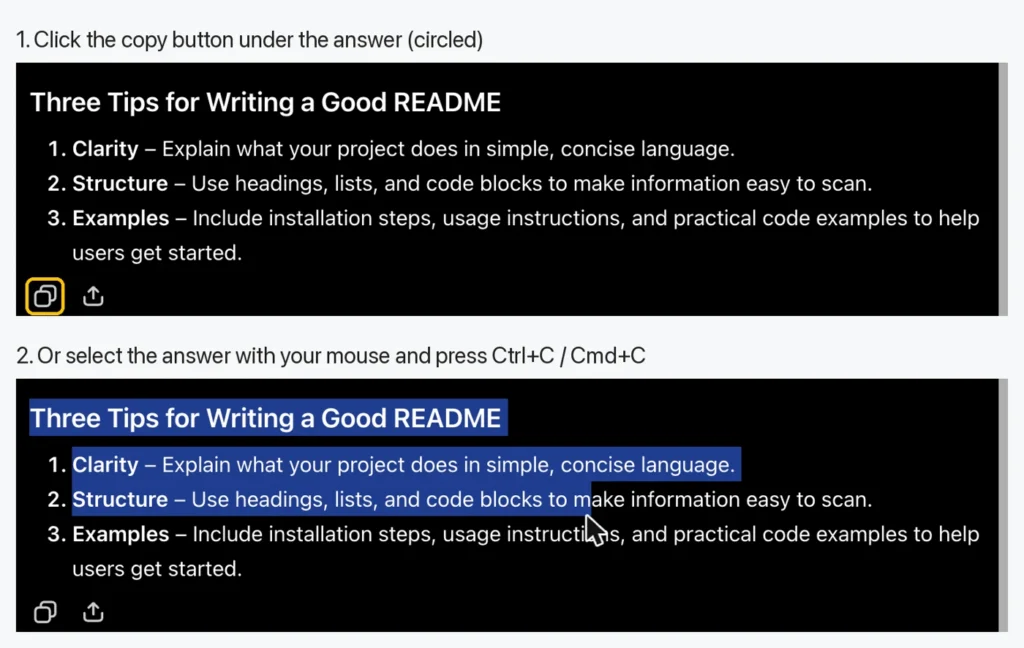
I can’t give you a guarantee for either method, because this behavior differs between the web, desktop, and phone apps, and it changes with updates: OpenAI’s community forum has a steady stream of threads from people whose copy button suddenly behaved differently. The practical rule is simple. If one way of copying gives you asterisks, try the other one.
Selecting with the mouse has two small downsides. It’s fiddly for long answers, and the formatted version sometimes drags along the chat’s fonts or, if you use dark mode, a dark background. The paste options in Word and Outlook (below) fix that.
Sometimes you don’t get text at all but a downloadable .md file. That’s the same Markdown, saved as a file. My article on what an .md file is explains how to open and convert one.
Google Docs: Paste from Markdown
Google Docs is the easiest fix, because it can convert Markdown when you paste it. The feature is switched off by default, so you turn it on once:
- Open any Google Doc and go to Tools > Preferences.
- Check Enable Markdown and click OK.
- In ChatGPT or Claude, click the copy button under the answer, so you have the Markdown version.
- In your Google Doc, right-click where you want the text and choose Paste from Markdown.
According to Google’s Markdown help page, headings, bold, italic, strikethrough, and links are converted. The page doesn’t mention lists or tables, so give those a quick look after pasting. The same menu has the opposite direction too: select text in a Google Doc, right-click, and choose Copy as Markdown to feed a document back to an AI chat.
Once the text is in Google Docs with real formatting, you have a universal converter. Copy it from there and paste it into Word, Gmail, or Outlook, and the formatting comes along. Or use File > Download > Microsoft Word (.docx) to get a Word file.
If the AI gave you an .md file instead of text, Google Drive can open that directly too. Since October 2026, Drive and Docs preview and edit Markdown files natively: upload the file and double-click it, and it opens formatted in Google Docs (Google’s help page). Google rolled this out gradually, so it may not have reached your account yet. I describe the details in the .md file article.
Microsoft Word
Word doesn’t understand Markdown. As far as I can find in Microsoft’s documentation (October 2026), Word has no “paste from Markdown” and no Markdown import. If you paste the Markdown version, you get the asterisks. You have four good options.
1. Copy the formatted version
Select the answer in the chat with your mouse, copy it, and paste it into Word. Formatted text from a web page normally keeps its headings, bold text, lists, and tables in Word, and the chat window is no exception. If the pasted text has the wrong font or a colored background, click the Paste Options button that appears after pasting (or press Ctrl) and pick one of these, as described in Microsoft’s help on paste options:
- Merge Formatting: the text takes on your document’s style, but bold and italic words stay bold and italic. This is usually the one you want.
- Keep Text Only: removes all formatting, and tables become ordinary paragraphs. Use it when you only want the words. Note that if you copied the Markdown version, this keeps the asterisks, because to Word they’re just text.
2. Go through Google Docs
Use Paste from Markdown in Google Docs as described above, then either copy the result into Word or download the document as .docx. This is the most reliable no-install route, and it works on any computer with a browser.
3. Convert it with Pandoc
If you do this often and don’t mind typing a command, Pandoc is a free converter that turns Markdown into a real Word document, with Word’s own heading styles. On a Mac, click the copy button under the answer, open Terminal, and run:
pbpaste | pandoc -f gfm -o answer.docx
pbpaste hands the clipboard to Pandoc, and you get answer.docx in your home folder. On Windows, paste the answer into Notepad, save it as answer.md, and run this in PowerShell in the same folder:
pandoc -f gfm answer.md -o answer.docx
I tested both commands with Pandoc 3.9, using an answer with a heading, a numbered list, bold and italic text, a table, and a link. The Word file had a real Heading 2, a numbered list, a Word table, and a working link.
One detail matters here: the -f gfm part. It tells Pandoc to read the text as GitHub Flavored Markdown, the dialect AI chats write. Without it, Pandoc uses its own Markdown dialect, and in my test that glued a numbered list into the sentence above it, because AI answers often start a list without an empty line before it. With -f gfm, the list came out fine.
Mac bonus: this longer command doesn’t create a file but replaces the Markdown on your clipboard with formatted text. Paste it into Word, Pages, Apple Mail, or Outlook, and the formatting is there.
pbpaste | pandoc -f gfm -t html | textutil -stdin -format html -inputencoding UTF-8 -convert rtf -stdout | pbcopy
I checked on my Mac that the clipboard holds rich text afterwards, with the heading, bold text, list, table, and link intact. The -inputencoding UTF-8 part is important: without it, my test turned “café” into “café”.
4. Ask for a Word file
ChatGPT and Claude can both create files, depending on your plan and settings. Asking “give me this as a Word document” often gets you a .docx to download, which skips the whole copy-paste problem.
Already pasted the asterisks into a long document? Re-pasting with one of the methods above is usually faster than cleaning up. If you only need the symbols gone, press Ctrl+H in Word, put ** in Find what, leave Replace with empty, and click Replace All. Do the same for ## and ### (with the space). You lose the bold and the headings, but the text is clean.
Email: Gmail, Outlook, and Apple Mail
None of the big email apps convert Markdown. What works:
- Copy the formatted version by selecting the answer with your mouse. Gmail, Outlook, and Apple Mail all accept formatted text. In Outlook for Windows, the same Paste Options button as in Word appears, and Merge Formatting removes a stray background color.
- Go through Google Docs: Paste from Markdown, then copy from the Doc into your email.
- On a Mac, the Pandoc clipboard command above.
- Ask for an email, not an answer. Headings and tables look odd in an email anyway. “Write this as a short email in plain text, no Markdown” gives you text you can paste anywhere.
If you write your emails in Gmail’s plain text mode, all formatting disappears no matter how you paste, so the last option is the only clean one there.
Slack
Slack is a special case, because it has its own formatting codes that look like Markdown but aren’t the same. According to Slack’s help on markup:
| Formatting | AI chat (Markdown) | Slack |
|---|---|---|
| Bold | **bold** | *bold* |
| Italic | *italic* or _italic_ | _italic_ |
| Strikethrough | ~~text~~ | ~text~ |
| Code | `code` | `code` |
| Quote | > text | >text |
| Link | [text](link) | [text](link) |
| Headings, tables | #, | | Not in Slack’s list |
So a single asterisk means italic in Markdown but bold in Slack, and Slack’s help doesn’t list double asterisks at all. That’s why AI answers often look wrong in Slack even when some of the formatting survives.
Slack’s normal message box is a formatted editor with a toolbar, so your best bet is to paste the formatted version (select the answer with your mouse). Slack doesn’t document exactly what it keeps from pasted text, but you see the result in the message box before you send, so check it there. Headings and tables won’t survive as such, because Slack’s formatting options don’t include them. For anything with a table, I’d ask the AI to rewrite it as a list.
Or let the AI do the conversion:
Rewrite this as a Slack message. Use Slack formatting: *single asterisks* for bold, _underscores_ for italic, simple bullet points, no headings, no tables.
Some people switch on the Slack preference Format messages with markup (under Preferences > Advanced > Input options), which hides the toolbar and lets you type the codes from the table. Slack notes that in this mode, messages you copy and paste appear as plain text, so it’s no help for pasting AI answers.
Microsoft Teams
Teams understands what Microsoft calls a “Markdown-style syntax” in the desktop and web app. Microsoft’s help page says it doesn’t fully match standard Markdown, and it’s similar to Slack in one important way: bold is *single asterisks*. Headings with #, lists, links, code, and quotes are in Microsoft’s list; tables are not. The formatting appears as a live preview while you type, and Ctrl+Z undoes it. On the phone apps, you can see formatted messages but not create them.
Microsoft’s page describes typing, not pasting. So, as with Slack: paste the formatted version, check the message box before sending, or ask the AI for a Teams-friendly version without tables. The Microsoft 365 roadmap lists “expanded Markdown support” in the Teams compose box as in development for November 2026, so this may get better soon.
Notion, Obsidian, and Apple Notes
Here the copy button is your friend, because these apps understand Markdown.
- Obsidian stores every note as Markdown, so pasted Markdown simply is the note, formatting and all.
- Notion supports Markdown shortcuts and generally turns pasted Markdown into formatted blocks, although its help pages describe only the typing shortcuts, not pasting. If a paste doesn’t convert, save the answer as an .md file and use Notion’s Text & Markdown import.
- Apple Notes converts Markdown since macOS Tahoe 26, iOS 26, and iPadOS 26, but Apple documents it for files: on a Mac, File > Import Markdown; on iPhone and iPad, share an .md file from the Files app to Notes. Apple doesn’t say anything about pasting Markdown text, so for a quick paste, copying the formatted version is the safer choice.
Tables into Excel and Google Sheets
A Markdown table is made of pipes and dashes. Paste it into a spreadsheet, and every row ends up as one long text in column A. Three ways around it:
- Copy the table as you see it. Select the displayed table in the chat with your mouse, from the first header cell to the last cell, and paste. Excel and Sheets read the formatted version as a real table, one value per cell.
- Ask for a spreadsheet format. “Give me this table as CSV” gets you comma-separated text, and many AI tools can also create an .xlsx or .csv file to download.
- Split the pasted text. Already pasted the pipes? In Google Sheets, select column A and choose Data > Split text to columns, then set the separator to a custom
|(Google’s instructions). In Excel, use Data > Text to Columns, choose Delimited, and type|under Other. Afterward, delete the row of dashes and the empty first and last columns.
Ask the AI to skip Markdown
The cleanest fix is to not get Markdown in the first place. AI chats follow formatting instructions well. A few prompts I’d use, depending on where the text is going:
Answer in plain text without any Markdown formatting. No asterisks, no # headings, no tables.

Write this as an email I can paste into Outlook: short paragraphs, no headings, no Markdown symbols.

Format this for Slack: *single asterisks* for bold, simple bullets, no headings or tables.

Give me this table as CSV so I can paste it into Excel.
If you always paste into the same place, put the instruction in the app’s settings once, instead of repeating it in every chat. ChatGPT has custom instructions (under Personalization in its settings), and Claude has a field for personal preferences in its settings. Something like “I paste your answers into Word and Outlook. Don’t use Markdown formatting unless I ask for it” does the job.
One thing to know about plain text: you lose the structure that made the answer readable. An answer with headings and bullets often turns into a wall of text. Asking for “short paragraphs” helps. And if line breaks go missing after a paste, my article on Markdown line breaks explains why a single Enter disappears in Markdown.
FAQ
Why does ChatGPT put asterisks in its answers?
It writes Markdown, where **two asterisks** mean bold and one asterisk means italic. The chat window shows them as formatting, but apps that don’t understand Markdown, like Word or Outlook, show the asterisks as they are.
How do I copy from ChatGPT or Claude without the formatting symbols?
Select the answer with your mouse and press Ctrl+C or Cmd+C, instead of using the copy button. That usually copies the formatted text. If you get asterisks anyway, paste it into Google Docs with Paste from Markdown, or ask the AI to answer without Markdown.
Can Word convert Markdown?
Not as of October 2026, as far as I can tell. Word shows Markdown as plain text. Copy the formatted version from the chat, convert it through Google Docs, or use Pandoc: pandoc -f gfm answer.md -o answer.docx.
Why don’t I see “Paste from Markdown” in Google Docs?
It only appears after you turn it on: Tools > Preferences > Enable Markdown. It’s in the right-click menu inside a document, and it’s a Google Docs feature, so you won’t find it in Sheets.
Why does bold text look wrong in Slack and Teams?
Both use their own Markdown-like codes, where bold is *one asterisk* instead of two. Paste the formatted version instead of the Markdown, or ask the AI to format the text for Slack or Teams.
Conclusion
Those asterisks aren’t a bug. They’re Markdown, and once you know that, the fix is usually one of three things: copy the answer differently, let Google Docs convert it, or ask the AI to leave the Markdown out. If you’d like to understand the symbols themselves, it takes about ten minutes with my Markdown introduction, and then you can read any AI answer in its raw form too.