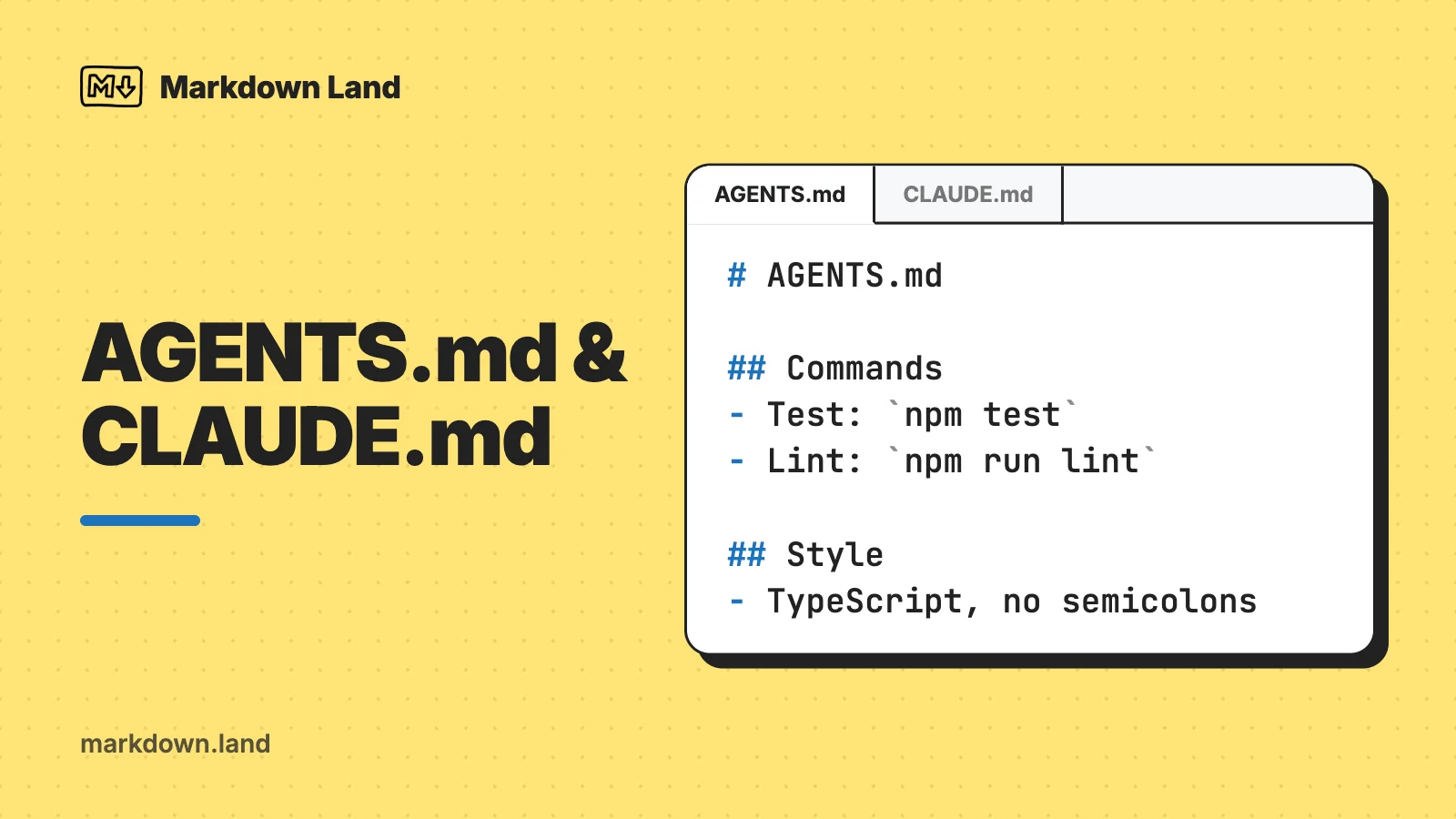
AGENTS.md is a plain Markdown file in the root of your repository that tells AI coding agents how to work on your project: which commands to run, which conventions to follow, and which traps to avoid. CLAUDE.md is the same idea for Claude Code. Here’s a minimal AGENTS.md you can copy and adapt:
# AGENTS.md

## Commands

- Install: `npm install`
- Test: `npm test`
- Lint: `npm run lint`

## Conventions

- TypeScript strict mode, no `any`.
- New API routes go in `src/api/`, one file per route.

## Before you finish

- Run `npm run lint` and `npm test`, and fix what fails.
Codex, Cursor, GitHub Copilot’s coding agent and many other tools read AGENTS.md as is. Claude Code reads it too, but only when there’s no CLAUDE.md. If you use Claude Code next to other tools, the safest bridge is a CLAUDE.md with a single line:
@AGENTS.md
Below you’ll find which tool reads which file (with sources), a fuller template, what belongs in these files and what doesn’t, and how to write the Markdown so agents actually follow it.
What are AGENTS.md and CLAUDE.md?
Every AI coding session starts from zero. The agent doesn’t remember that your tests need a running database, that you use pnpm instead of npm, or that one folder is generated and must never be edited by hand. An instruction file fixes that: the tool loads it at the start of every session, so you write those facts down once instead of repeating them in every chat.
AGENTS.md is an open format for exactly this. The agents.md site describes it as a README for agents: your README.md explains the project to humans, AGENTS.md holds the extra details an agent needs, like build steps, test commands and conventions. It came out of a collaboration between OpenAI Codex, Amp, Google’s Jules, Cursor and Factory, and it’s now stewarded by the Agentic AI Foundation under the Linux Foundation. The site says over 60,000 open-source projects use it.
There’s no schema. AGENTS.md has no required fields or headings; it’s standard Markdown, and the agent reads the text you write. That makes it an ordinary .md file you can open in any editor.
CLAUDE.md is Claude Code’s own instruction file. It works the same way, with some extras: imports with @path, a personal file in your home folder, and a gitignored CLAUDE.local.md for your own project notes. Other tools have their own names too: GitHub Copilot uses .github/copilot-instructions.md, Cursor has rule files in .cursor/rules/, and Gemini CLI reads GEMINI.md.
One thing to understand up front: these files are context, not configuration. Claude Code’s docs say this explicitly: Claude treats CLAUDE.md as guidance, and if something must be blocked no matter what, you need a hook or a permission setting instead. The same goes for every other tool. An instruction file makes the right behavior likely, not guaranteed.
Which AI tools read which file
This changes fast, so I checked every cell against each tool’s official documentation in October 2026. Where the docs don’t say, the table says “not documented”.
| Tool | Its own file | Reads AGENTS.md? | Reads CLAUDE.md? |
|---|---|---|---|
| Claude Code | CLAUDE.md or .claude/CLAUDE.md, plus CLAUDE.local.md | Yes, from v2.1.277, but by default only when there’s no CLAUDE.md or CLAUDE.local.md | Yes |
| OpenAI Codex | AGENTS.md (plus AGENTS.override.md) | Yes | Only if you add it to project_doc_fallback_filenames |
| GitHub Copilot cloud agent and Copilot CLI | .github/copilot-instructions.md and .github/instructions/*.instructions.md | Yes, the nearest one in the folder tree wins | Yes (cloud agent: one file in the repo root; CLI: also .claude/CLAUDE.md) |
| Copilot Chat in VS Code | Same as above | Yes, root file on by default (chat.useAgentsMdFile) | Only with the chat.useClaudeMdFile setting enabled |
| Cursor | .cursor/rules/*.mdc | Yes, in the root and in subfolders | Not documented |
| Gemini CLI | GEMINI.md | Only if you add it to context.fileName | Only if you add it to context.fileName |
And here’s where the personal and folder-level files go, and whether you can pull in other files:
| Tool | Personal (global) file | Files in subfolders | Imports |
|---|---|---|---|
| Claude Code | ~/.claude/CLAUDE.md | Yes, loaded once Claude works with files in that folder | @path/to/file, relative or absolute, nested up to four hops deep |
| OpenAI Codex | ~/.codex/AGENTS.md | Yes, from the project root down to the current folder, one file per folder, 32 KiB in total by default | Not documented |
| Copilot CLI | ~/.copilot/copilot-instructions.md | Yes: the repo root, the current folder, the folders in between, and folders of files it works on | @relative/path in copilot-instructions.md, AGENTS.md and CLAUDE.md, files inside the repo only |
| Cursor | User Rules in Cursor’s settings, not a file | Yes, combined with the parent folders’ files | An @file mention tells the agent where to look; the file is not pasted into the prompt |
| Gemini CLI | ~/.gemini/GEMINI.md | Yes, parent folders at startup and subfolders when a tool touches them | @file.md, relative or absolute |
Sources: Claude Code memory docs, Codex: custom instructions with AGENTS.md, GitHub Docs: support for custom instructions, GitHub Docs: Copilot CLI instructions, VS Code: custom instructions, Cursor: rules and Gemini CLI: GEMINI.md.
A few details that the tables can’t hold:
- Claude Code counts
CLAUDE.md,.claude/CLAUDE.mdandCLAUDE.local.mdin your working folder or above it. If any of them exists, it reads those instead of AGENTS.md. Your personal~/.claude/CLAUDE.mddoesn’t count. You can change this with the Project instructions option in/config, for example to read both files. Claude Code never readsAGENTS.local.mdorAGENTS.override.md. - Codex checks each folder for
AGENTS.override.mdfirst, thenAGENTS.md. The override is meant for temporary or team-specific rules; if both exist in one folder, the regular file is ignored. - GitHub Copilot depends on where you use it. Copilot Chat on github.com only reads
.github/copilot-instructions.md(plus personal and organization instructions you set on GitHub). The cloud agent and code review on GitHub also read AGENTS.md, CLAUDE.md and GEMINI.md. - Cursor ignores plain
.mdfiles in.cursor/rules/. Project rules must be.mdcfiles with frontmatter; if you want plain Markdown, Cursor’s docs point you to AGENTS.md. Cursor’s current rules docs don’t mention the older.cursorrulesfile at all. - Gemini CLI only reads GEMINI.md out of the box. Both the agents.md site and the Gemini CLI docs show how to add AGENTS.md through the
context.fileNamesetting (see one file for every tool below).
The agents.md site lists many more tools that support the format, including Jules, Aider, Zed, Warp, Devin, Windsurf, JetBrains Junie and Amp. I’ve kept the tables to the tools whose docs I checked in detail.
A starter AGENTS.md template
Here’s a fuller template. The project is made up (a Node app with a web front end and an API), so replace every line with what’s true for yours. Keep the headings you need and delete the rest:
# AGENTS.md

## Project overview

- Room booking app: Next.js front end in `web/`, Node API in `api/`, Postgres.
- Shared TypeScript types live in `packages/types/`.

## Commands

```bash
pnpm install                         # install dependencies
pnpm dev                             # dev server on http://localhost:3000
pnpm test                            # all tests
pnpm vitest run path/to/file.test.ts # one test file
pnpm lint && pnpm typecheck         # must pass before every commit
```

## Conventions

- Use pnpm, never npm or yarn.
- TypeScript strict mode. No `any` without a comment that explains why.
- Log with `logger` from `api/src/lib/logger.ts`, not `console.log`.
- Schema changes need a new migration in `api/migrations/`. Never edit an old one.

## Testing

- Add or update tests for every change in `api/`.
- Database tests need `docker compose up db` first.

## Gotchas

- `packages/types/` is generated. Run `pnpm gen:types` instead of editing it.
- The API reads `.env.local`, which is not in git. Never create, print or commit secrets.

## Before you finish

- Run `pnpm lint`, `pnpm typecheck` and `pnpm test`, and fix what fails.
- Commit messages: `type(scope): summary`, for example `fix(api): handle empty booking list`.

## Ask first

- Before adding a dependency, deleting files, or changing anything in `infra/`.
That’s about 40 lines, and that’s a good size. Claude Code’s docs recommend keeping each CLAUDE.md under 200 lines, because longer files take up more context and get followed less reliably. Codex stops adding instruction files once they reach 32 KiB together, unless you raise that limit.
You don’t have to start from a blank file, either. Claude Code’s /init command analyzes your codebase and writes a starting CLAUDE.md, VS Code has an /init too, and the agents.md site notes that most agents will scaffold an AGENTS.md if you ask. Treat the result as a first draft: check every command and path, and delete what the agent could have figured out on its own.
What to put in AGENTS.md
The best test I know: would a new teammate need to be told this, and would they get it wrong otherwise? Claude Code’s docs put it nicely: add something when the agent makes the same mistake twice, or when you type the same correction you typed last session. Cursor’s docs say the same thing about rules. That usually leads to these sections:
- Build and test commands, exactly as you type them. Especially the non-obvious ones: how to run a single test, which command does the type check, what needs to run first. The agents.md FAQ says agents will try to run the checks you list and fix failures before they finish.
- Conventions the code doesn’t show. Which package manager, where new files go, which helper to use instead of the obvious one, naming rules.
- Gotchas. Generated folders, files that must not be edited, tests that need a service running, slow or flaky commands, environment quirks.
- A short map of the project, if the folder names don’t speak for themselves.
- A definition of done: which checks must pass before the agent says it’s finished.
- Commit and pull request rules: message format, branch naming, what goes in a PR description.
- Things to ask about first: new dependencies, deleting files, touching infrastructure or billing code.
Write every instruction so you could check whether it was followed. Claude Code’s docs make the same point: concrete instructions get followed more consistently than general ones. “Indent with two spaces” beats “Format the code nicely”, and “Run pnpm test before every commit” beats “Make sure to test”.
What to leave out
- Secrets. No API keys, passwords, tokens or private URLs. AGENTS.md is committed to your repository, so everyone who can read the repo can read it, and its full text goes into the prompt of every session. Tell the agent where secrets come from (“.env.local, ask a human”), never what they are.
- Anything a linter or formatter already enforces. Cursor’s docs say not to paste whole style guides and to use a linter instead, and OpenAI’s Codex docs say to leave formatting and lint checks to CI. One line (“run
pnpm lintbefore committing”) beats fifty lines of style rules. - Long prose. Background stories, design history and philosophy belong in your docs. Link to them if the agent might need them.
- Generic advice. “Write clean, maintainable code” costs context and changes nothing. Cursor’s docs also point out that agents already know common tools like npm, git and pytest, so you don’t need to explain them.
- Rare edge cases. If it only matters for one folder or one task, put it in a nested file or a path-specific rule (more on that below).
- Personal preferences. Your preferred tone or editor habits go in your personal file (
~/.claude/CLAUDE.md,~/.codex/AGENTS.mdand so on), not in the shared project file. - Hard security rules you rely on. “Never run
rm -rf” in a Markdown file is a request, not a guarantee. Use your tool’s permission settings or hooks for things that must never happen.
Markdown style that agents follow
An agent reads the raw Markdown, not a rendered page, so the goal isn’t to look nice on GitHub. The goal is that every instruction is easy to find and impossible to misread. Compare these two versions of the same information:
When you work on this project, please make sure you always write good, clean
code and follow our conventions. We use pnpm. Testing is important, so remember
to run the tests and also the linter, which you can run with pnpm lint, although
the type checker is a separate command.
## Commands

- Test: `pnpm test`
- Lint: `pnpm lint`
- Type check: `pnpm typecheck`

## Rules

- Use pnpm, never npm or yarn.
- Run all three commands above before you say a task is done.
The second one is shorter and contains more information: the actual type check command, a ban on npm and yarn, and a clear moment to run the checks. Some rules of thumb:
- Group with headings. Claude Code’s docs recommend grouping instructions under Markdown headings and bullets, because organized sections are easier to follow than dense paragraphs. Use
##for sections and keep the structure flat; you rarely need more than two heading levels. - One instruction per bullet, written as a command: “Use…”, “Run…”, “Never…”. Short bullets are easy to scan, and easy to delete when they’re no longer true.
- Put commands, paths and names in backticks. Inline code (
`pnpm test`) marks exactly what to type. For several commands, use a fenced code block with a language likebash, with a short comment per line. - Be specific. Real paths (
api/migrations/), real file names, real commands. Vague rules get vague results. - Don’t contradict yourself. If two instructions conflict, Claude Code’s docs warn that Claude may pick one arbitrarily. Check nested files and rule files for conflicts too.
- No frontmatter needed. AGENTS.md and CLAUDE.md are plain Markdown. YAML frontmatter only matters in path-specific rule files, like Cursor’s
.mdcrules, Copilot’s*.instructions.mdfiles and Claude Code’s.claude/rules/.
What about comments? Claude Code strips block-level HTML comments (<!-- like this -->) from CLAUDE.md before the text reaches the model, so you can leave notes for human maintainers there. Don’t assume other tools do the same; for them, a comment is probably just more text in the prompt. I go into the details in comments in AGENTS.md and CLAUDE.md files.
One Claude Code trap: an @ followed by a path imports that file, wherever it is in your CLAUDE.md. Writing @README pulls in your README. To mention a path without importing it, wrap it in backticks; Claude Code skips code spans and fenced code blocks when it looks for imports.
Use one file for every tool
If your team uses more than one agent, you don’t want three copies of the same instructions that slowly drift apart. Make AGENTS.md the single source of truth and point the other tools at it. Codex, Cursor and Copilot’s agents read it already, so the work is mostly about Claude Code and Gemini CLI.
Claude Code: let it read AGENTS.md directly
Since v2.1.277, Claude Code reads AGENTS.md on its own when your project has no CLAUDE.md, .claude/CLAUDE.md or CLAUDE.local.md in the working folder or above it. In that case, you don’t need to do anything. Watch out for one side effect: creating a CLAUDE.local.md for your personal notes switches Claude back to CLAUDE.md files only, and your AGENTS.md is no longer read. Setting Project instructions in /config to claude-md-and-agents-md makes it read both.
Claude Code: import AGENTS.md from CLAUDE.md
This is the option I’d pick for a shared repository. It works on older Claude Code versions, in sessions where AGENTS.md support isn’t available, and when the project already has a CLAUDE.md. Create a CLAUDE.md next to your AGENTS.md that imports it, and add Claude-specific instructions below the import:
@AGENTS.md

## Claude Code

- Use plan mode for changes under `src/billing/`.
Claude reads the imported file first, then the rest. According to the docs, this never makes Claude read AGENTS.md twice, whatever the Project instructions setting is. Relative import paths resolve from the file that contains the import, not from your working folder. Don’t just write “Read AGENTS.md” in words: then Claude only sees the file if it decides to open it.
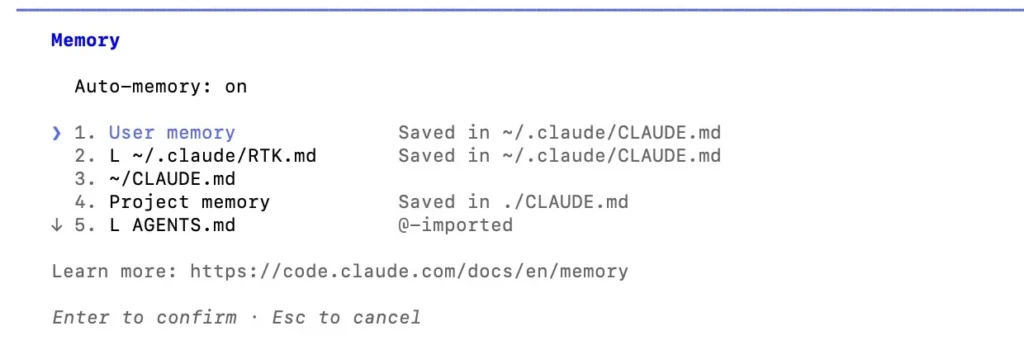
To check that it worked, run /context or /memory in a new Claude Code session and look for the file under memory files.
Claude Code: a symlink
If you have nothing Claude-specific to add, a symbolic link also works:
ln -s AGENTS.md CLAUDE.md
Claude Code’s docs list two catches. First, Windows: creating symlinks there needs Administrator rights or Developer Mode, and Git checks out a committed symlink as a one-line text file unless core.symlinks is enabled. If anyone on your team uses Windows, use the import. Second, Claude’s edit tools refuse to write through a symlink and edit AGENTS.md instead, which is fine, but good to know.
Gemini CLI, Codex and Copilot
For Gemini CLI, add AGENTS.md to the list of context file names in .gemini/settings.json (project) or ~/.gemini/settings.json (all projects):
{
  "context": {
    "fileName": ["AGENTS.md", "GEMINI.md"]
  }
}
Codex reads AGENTS.md natively. If a repository only has a CLAUDE.md, you can add it to project_doc_fallback_filenames in ~/.codex/config.toml, and Codex treats it like an AGENTS.md:
# ~/.codex/config.toml
project_doc_fallback_filenames = ["CLAUDE.md"]
GitHub Copilot’s cloud agent and CLI read AGENTS.md and CLAUDE.md both, and GitHub’s docs don’t say whether a CLAUDE.md that imports or links to AGENTS.md ends up in the prompt twice. Keeping the CLAUDE.md to the import plus a few Claude-only lines limits the damage either way. If your team relies on Copilot Chat on github.com, which only reads .github/copilot-instructions.md, keep a short one there too.
Nested files, monorepos and global files
One AGENTS.md in the root is enough for most projects. In a monorepo, you can add one per package or service:
repo/
├── AGENTS.md            # applies everywhere
├── web/
│   └── AGENTS.md        # front-end rules
└── services/
    └── payments/
        └── AGENTS.md    # payments rules
The agents.md FAQ says the closest AGENTS.md to the file being edited wins, and that your chat prompt overrides everything. At the time the site was written, OpenAI’s main repository had 88 AGENTS.md files. The tools differ in the details, though:
- Codex walks from the project root down to the folder you started in, takes at most one file per folder, and joins them. Files closer to your folder come later, so they win. Files in folders below your starting folder aren’t loaded.
- Claude Code loads the files in your working folder and every folder above it at startup. Files in subfolders load once Claude reads or edits something in that subfolder. All files are added together; none replaces another.
- Cursor applies a nested AGENTS.md when you work with files in that folder or below it, combined with the parent files, with the more specific one taking precedence.
- Gemini CLI loads files from your workspace and its parent folders at startup, and picks up files in subfolders when a tool touches them.
For rules that apply to file types rather than folders, use path-specific rules: .github/instructions/NAME.instructions.md with an applyTo pattern for Copilot, .mdc files with globs for Cursor, and .claude/rules/ files with paths for Claude Code. This is the Claude Code version, which only loads when Claude works on matching files:
---
paths:
  - "src/api/**/*.ts"
---

# API rules

- Validate all input at the start of each handler.
- Use the standard error response format from `src/api/errors.ts`.
Finally, the personal files: ~/.claude/CLAUDE.md, ~/.codex/AGENTS.md, ~/.gemini/GEMINI.md and ~/.copilot/copilot-instructions.md for Copilot CLI. They apply to every project on your machine and aren’t shared with your team. That’s the place for “keep answers short” or “I use fish, not bash”. For notes about one project that you don’t want to commit, Claude Code has CLAUDE.local.md (add it to .gitignore), but remember the side effect on AGENTS.md mentioned above.
llms.txt: the same idea for websites
AGENTS.md is for code repositories. Its cousin for websites is llms.txt, a proposal by Jeremy Howard: a Markdown file at /llms.txt that gives AI tools a short summary of a site and links to the pages that matter, ideally as clean Markdown versions. The format is strict for a Markdown file. Only the H1 is required, followed by an optional blockquote summary and H2 sections with link lists:
# Example Docs

> Short summary of what this site or library is.

## Docs

- [Quick start](https://example.com/start.md): install and first steps
- [API reference](https://example.com/api.md)
It’s mostly useful for documentation sites that coding agents look things up on. If you’re hoping it helps your Google rankings: Google’s guidance on AI features in Search says “You don’t need to create new machine readable files, AI text files, or markup” to appear in them.
More resources
- AGENTS.md sits next to your README. See how to write a good README.md for the human-facing half.
- Commands belong in code blocks: Markdown code blocks covers fences, languages and nesting.
- Want to leave notes for humans only? Read comments in Markdown.
- All basic syntax on one page: the Markdown cheat sheet.
- The format itself: agents.md and its GitHub repository.
FAQ
What’s the difference between AGENTS.md and CLAUDE.md?
Both are Markdown instruction files for AI coding agents. AGENTS.md is an open format that many tools read, including Codex, Cursor and GitHub Copilot’s agents. CLAUDE.md is Claude Code’s own file, with extras like @ imports and a personal CLAUDE.local.md. The content you put in them is the same.
Does Claude Code read AGENTS.md?
Yes, from version 2.1.277, but by default only when there’s no CLAUDE.md, .claude/CLAUDE.md or CLAUDE.local.md in your working folder or above it. To be safe on every version, add a CLAUDE.md containing @AGENTS.md.
Where do I put AGENTS.md?
In the root of your repository, next to README.md. In a monorepo, you can add extra AGENTS.md files in packages or services; tools that support nesting use the closest one or combine them. Personal instructions go in your home folder instead, for example ~/.codex/AGENTS.md for Codex.
How long should AGENTS.md be?
As short as possible. Claude Code’s docs recommend under 200 lines per CLAUDE.md, Cursor’s docs say to keep rules under 500 lines, and Codex stops loading instruction files at 32 KiB combined by default. In practice, one or two screens is plenty for most projects.
Should I commit AGENTS.md to Git?
Yes. It’s meant to be shared with your team and with every agent that works on the repository, just like a README. That’s also why it must never contain secrets. Keep personal preferences in your global file, or in a gitignored CLAUDE.local.md if you use Claude Code.
Does GitHub Copilot use AGENTS.md?
Copilot’s cloud agent, code review on GitHub, Copilot CLI and Copilot Chat in VS Code do. Copilot Chat on github.com only reads .github/copilot-instructions.md. The nearest AGENTS.md in the folder tree takes precedence.